

How to Purchase SMS Bundles via the New Dashboard

REQUIRED ACCESS
Admin

DIFFICULTY
Basic

ESTIMATED TIME
2 minutes

APPLIES TO MODULES
Dashboard, SMS

PREREQUISITES
You are logged in to the VisitUs dashboard.

SUMMARY
A quick guide on how to purchase SMS bundles via the new VisitUs dashboard.

STEPS
1. Go to Location Settings in the left navigation sidebar.
2. Click on the SMS tab.
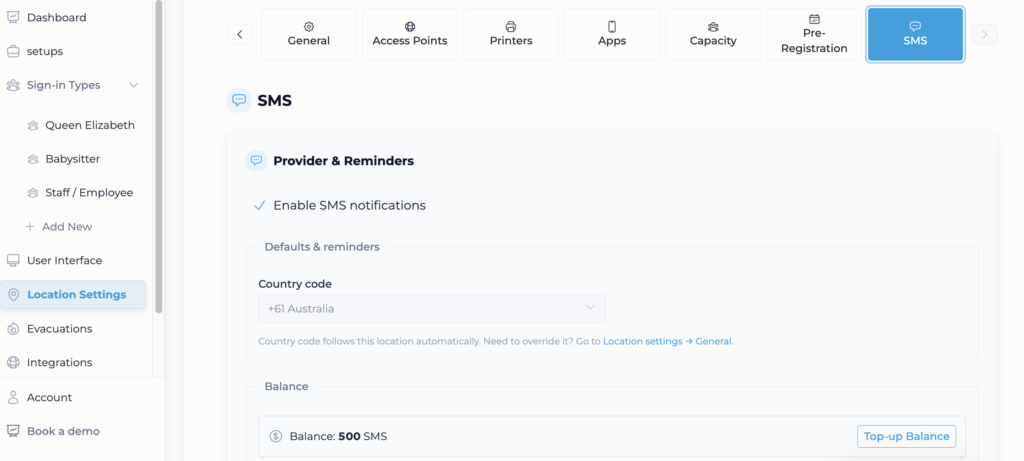
3. Click on Top-up Balance at the bottom of the page.

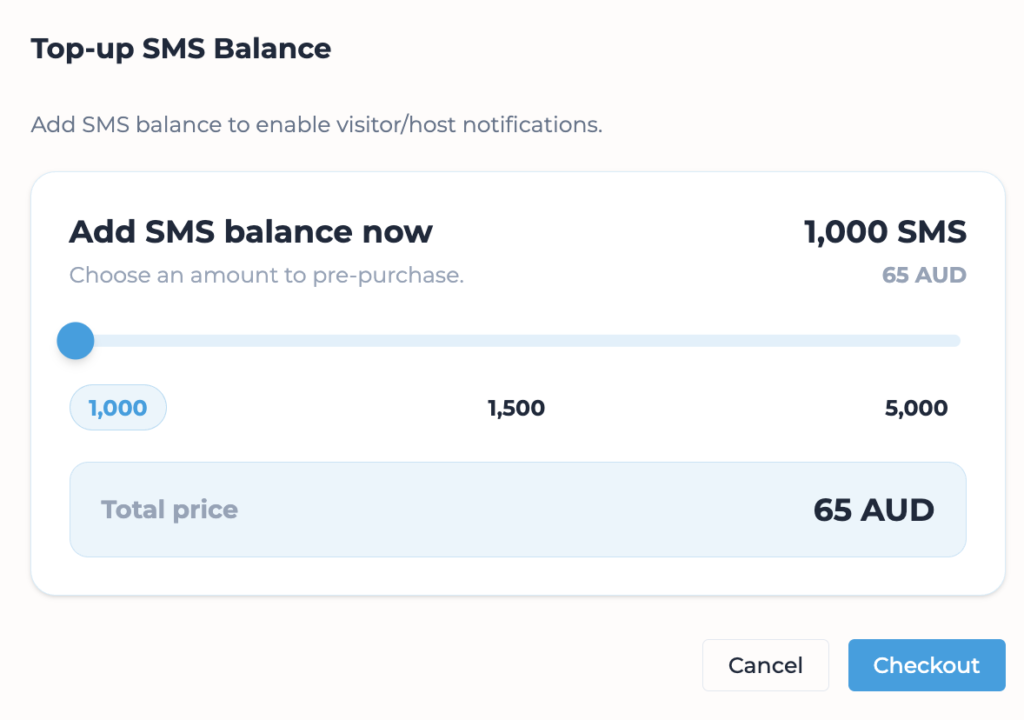
4. Once Top-up Balance is selected, you can proceed with the purchase. An invoice with a payment link will be sent to you, where you can choose your preferred bundle.
Comments