

View details of a previous evacuation

REQUIRED ACCESS
Admin, Fire Marshal

DIFFICULTY
Basic

ESTIMATED TIME
2 minutes

APPLIES TO MODULES
Evacuations, Reporting

PREREQUISITES
* An evacuation must have been triggered and completed in the system.
* You have access to the Evacuations module.

SUMMARY
Review past evacuation efficiency and compliance. Access reports detailing start/finish times, who was marked safe, and any specific notes recorded during the event.

STEPS
1. Log in to the dashboard and navigate to Evacuations in the sidebar.
2. Click on the Reporting tab at the top of the page.
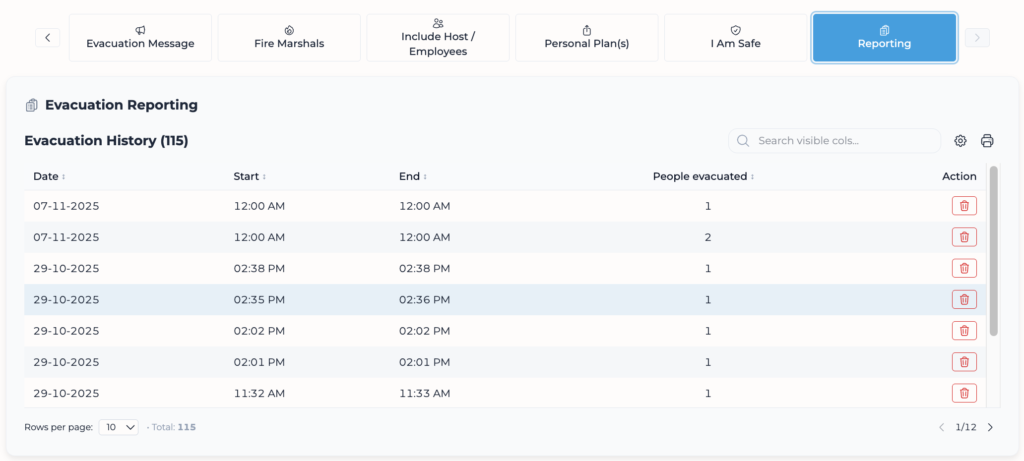
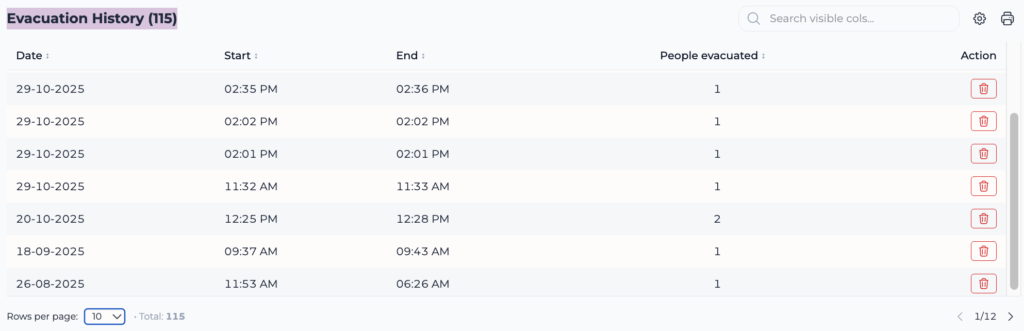
3. You will see an Evacuation History list with dates and times.
4. Click on the specific evacuation row you want to review.
5. A details modal will open showing:
* Time taken: Duration of the evacuation.
* Fire Marshals: Staff assigned to the event.
* Notes: Any comments added.
* View checklist: Link to see the specific list of people evacuated.
6. Click Close when finished.

VALIDATION CHECKLIST
* Ensure the “People evacuated” count matches your expected numbers.

TROUBLESHOOTING
* Problem: Report missing. * Fix: Ensure the evacuation was actually “Ended” in the app/dashboard. Ongoing evacuations may not appear in history until closed.