

Update or delete a user account

REQUIRED ACCESS
Admin

DIFFICULTY
Basic

ESTIMATED TIME
2 minutes

APPLIES TO MODULES
Dashboard

PREREQUISITES
• You are logged in to the VisitUs dashboard.

SUMMARY
Manage the users who have access to the VisitUs dashboard (Admins).

STEPS
1. Go to Account in the bottom-left sidebar.
2. Click on the User Accounts tab.
3. You will see a list of all current dashboard users.
4. To Delete a User:
– Locate the user in the list.
– Click the Delete (Trash can) icon in the Actions column.
– Confirm the deletion when prompted.
5. To Edit Permissions:
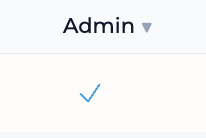
– Toggle the Admin click the checkmark switch to grant or revoke full administrative access.
6. To Add a User:
– Click the Add User button (usually at the top right of the section).
– Enter their email address and set their initial permissions.
Comments